 XAIV
XAIVInstall guide
This takes about three minutes
Download the file
Use the button below to save the installer.
Download XAIV(v0.1.7)Some browsers say the file “isn't commonly downloaded”. If that happens, choose Keep or Continue.
Open the file
Double-click the file you downloaded. XAIV-0.1.7-setup.exe
If a blue screen appears
When you open the installer, Windows shows the screen below. It can be startling, but nothing is broken and no virus has been found.
XAIV was released very recently. Windows shows this screen for every program that has not been downloaded many times yet. It stops appearing as more people use it.
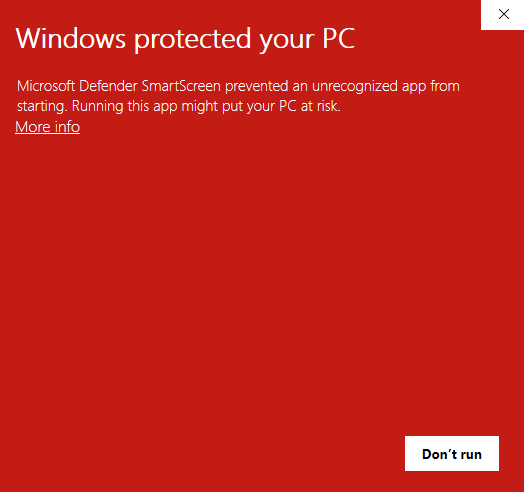
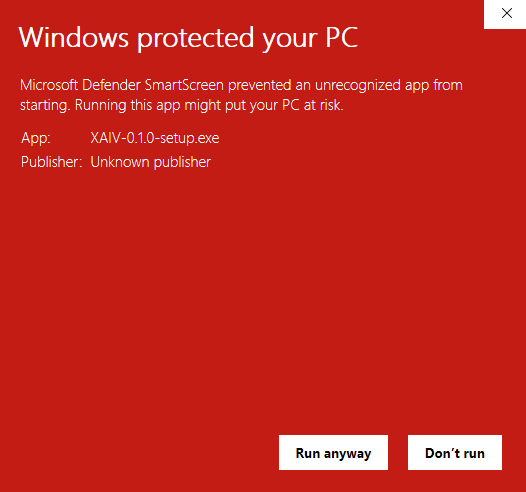
XAIV contains no virus and does nothing harmful to your PC. Still, being told “it's fine” does not always settle the matter. If you would rather check for yourself, upload the downloaded file to VirusTotal, a free scanning service. And if you are still uncomfortable, please don't feel obliged to use it.VirusTotal
This screen goes away once the developer buys a code-signing certificate that proves their identity. We plan to do that as the number of users grows.
Work through the installer
From here you just follow the prompts. There is nothing you need to change.
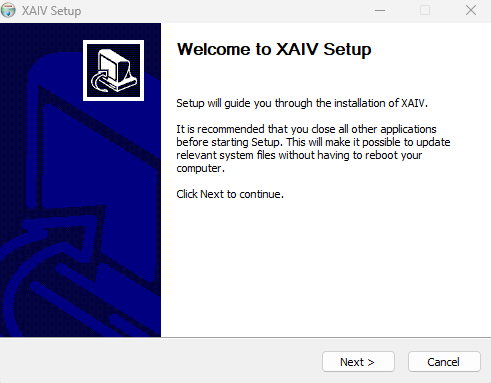
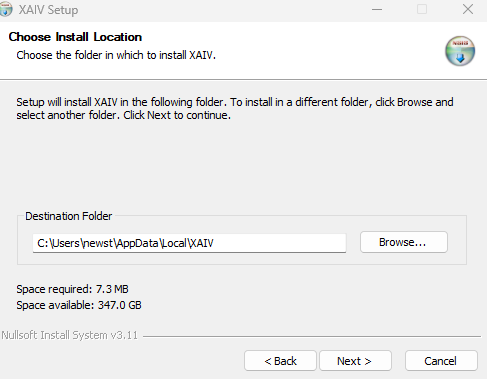
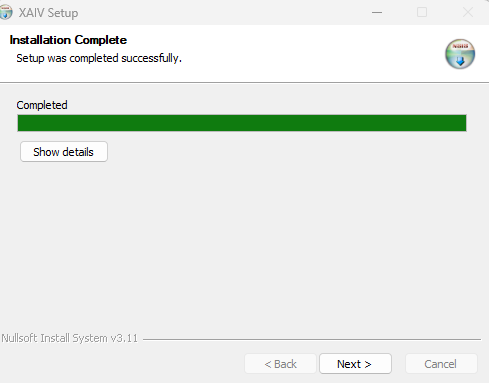
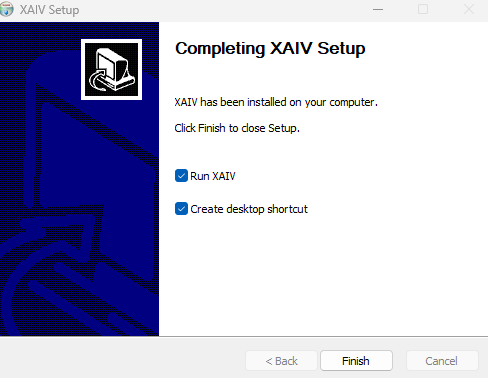
On the last screen, leave “Run XAIV” and “Create desktop shortcut” both ticked.
Download
Pick the build that matches your Mac. Choose Apple Silicon for M1 and later, Intel for anything older. If you are unsure, check → About This Mac.
Move it to Applications
Open the downloaded .dmg and drag the XAIV icon into your Applications folder. You can eject the .dmg afterwards.
Open it with right-click → Open, once
XAIV is not signed with an Apple certificate yet, so double-clicking shows “XAIV cannot be opened because the developer cannot be verified”. Right-click XAIV in Finder, choose Open, then press Open again in the dialog. You only need to do this once.
If it still will not open, run this in Terminal and try again.
xattr -dr com.apple.quarantine /Applications/XAIV.appGrant three permissions
In System Settings → Privacy & Security, add XAIV to all three of the following. If even one is missing, pressing the key does nothing at all — and no error is shown, so the cause is invisible. The app also shows a banner about this.
- Input Monitoring — needed to detect the key press (without it the hotkey never fires)
- Accessibility — needed to type the text (without it nothing gets inserted)
- Microphone — needed to record (macOS asks on first launch)
On macOS you hold the right Option key, not right Alt.
Download a package
Choose the .deb on Ubuntu / Debian, or the AppImage on other distributions. The .deb pulls in the libraries XAIV needs, so prefer it when you can.
Install it
.deb (Ubuntu / Debian)
sudo apt install ./XAIV-0.1.7-linux-amd64.debAppImage (everything else)
chmod +x XAIV-0.1.7-linux-x86_64.AppImage && ./XAIV-0.1.7-linux-x86_64.AppImageThe AppImage does not bundle the libraries needed for keystroke injection. If it does not work, install libxdo3 and libasound2 manually.
Log in with an X11 session
Wayland does not let an application receive another application's keystrokes, so the hotkey never fires. At the login screen, select your user, then use the gear icon (position varies) to pick “Xorg” or “X11” and log in again. Run echo $XDG_SESSION_TYPE in a terminal to see which session you are in.
echo $XDG_SESSION_TYPEGet the speech recognition model
The first time XAIV starts, it opens the Models screen. You only need to press two buttons, in order.
The model is 466 MB, so it can take a few minutes on a slow connection. Fetching it here is what keeps the installer small.
Sign in and start using it
Open the Account screen and sign in with the email address and password you registered. That gives you 30,000 characters free.
After that, just hold the right Alt key, speak, and let go.
XAIV was released very recently. It is built carefully, but you may still run into odd behaviour or bugs. If something seems wrong, please tell us from the Report screen in the app — every report we receive goes into improving it.
Before any important work, we recommend saving and backing up your data, just in case.
If it doesn't go smoothly, please get in touch
Contact us